How to generate an order number or unique id for each response?
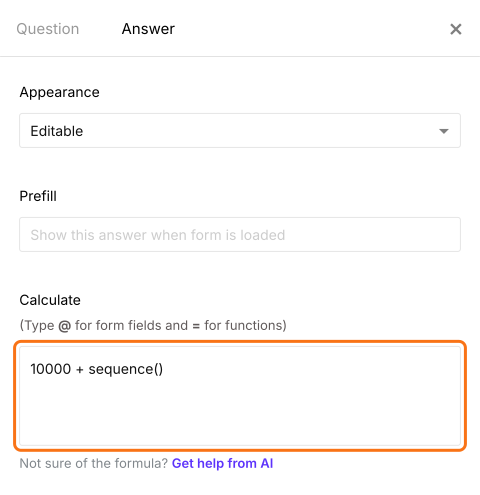
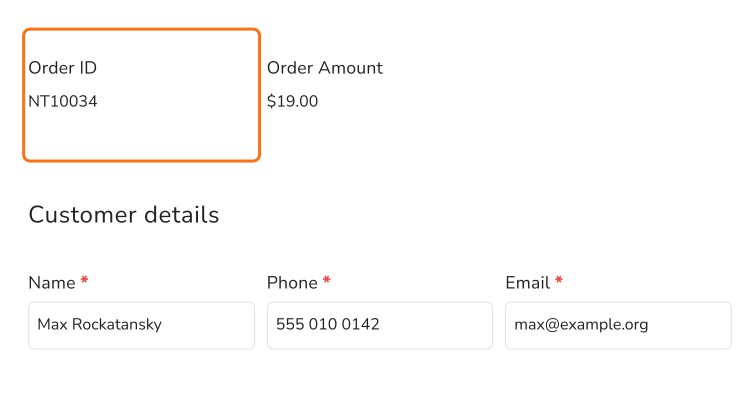
This is a common question from small shops and food sellers who keep track of many orders. You need a number for each order, so that you and your customer can talk about the same one. A Google Form does not number its responses, so you add the numbers yourself in the sheet after the orders come in. You can write a script instead, but then someone has to write it and fix it. With Neartail, you can use the SEQUENCE function to generate an order number that goes up by 1 or add text to it to make a unique order id. Each order gets its own number without any work from you. Even better, the confirmation email can carry the order number, so your customer has it when they ask about the order.
Let's start. Create your order form and follow the steps below.
How to generate an order number?
- On the page that opens, click "Enter your form name". Type your form's name, click Generate and wait about a minute.
- Check the outline it suggests and click Proceed.
- Once you create the form, you will land on the form's "Edit" tab. If it asks "Do you want to preview this form?", click No.

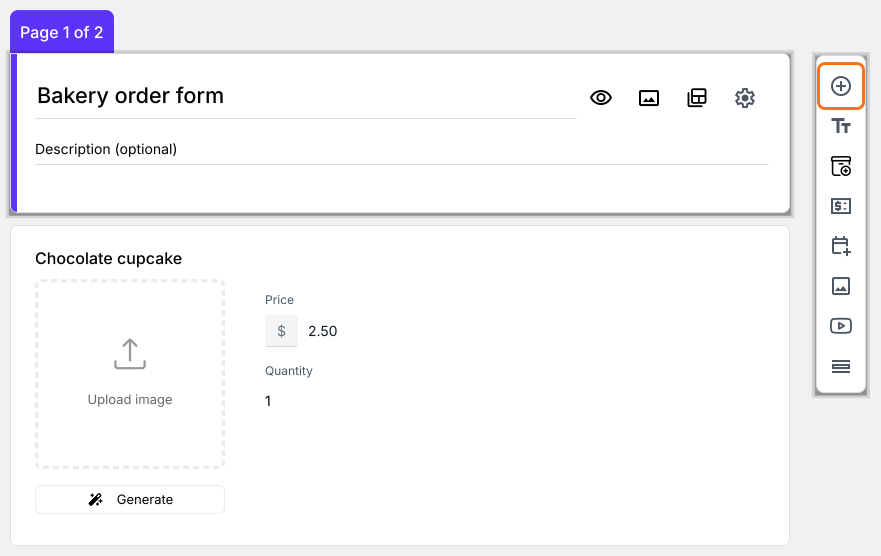
- Click on the Order Quantity question, then click Add field in the toolbar on the right
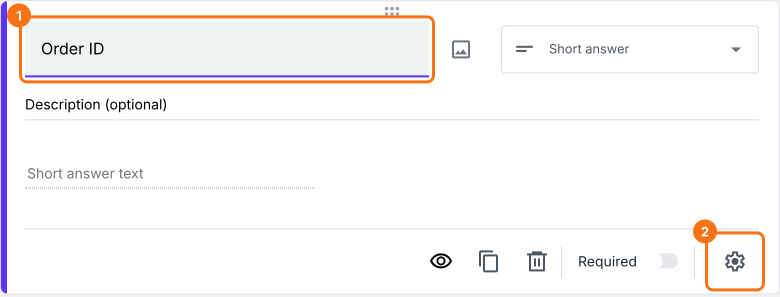
- New question will be displayed. Enter Order ID as its title, then click the ⚙️ icon
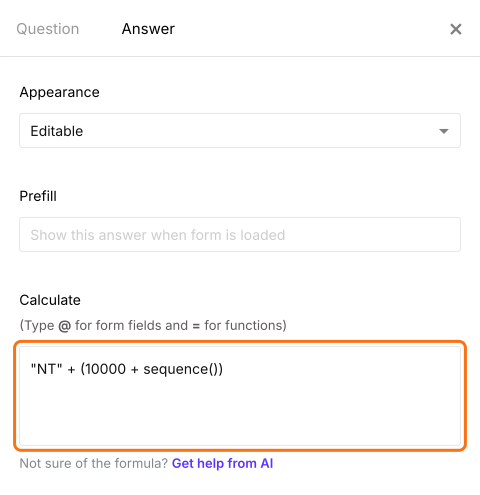
- Field settings screen will be displayed. Select the "Answer" tab and write the formula to generate the order number.
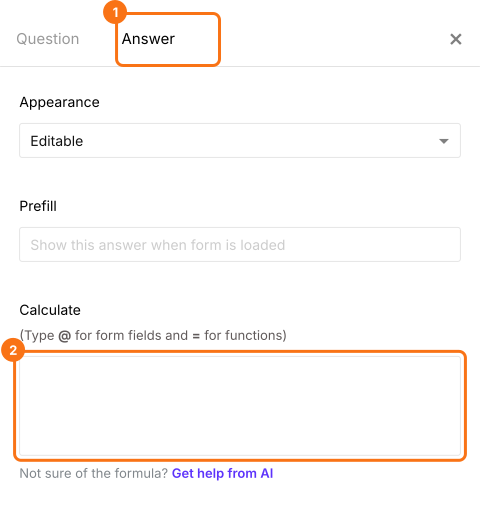
Use SEQUENCE function to generate order number
- Write the sequence formula in the Calculate option as shown below to generate an order number. Click Save
Summary
Last updated: