How to send bulk emails with personalized google forms prefill link?
"How could I use my email list from google sheets"- Google Docs Editors Community
This is a common question from Google Workspace users who keep their contacts in Google Sheets. For example, you might want feedback from your recent customers while their memory is still fresh. You want to send them a feedback form you built using Google Forms. Google Forms lets you prefill the form one at a time and then send it to your customers. You can use a mail merge add-on instead, but prefilling the form is still a pain. With Formfacade, you can select the list of customers and then send bulk emails to them with individual prefilled links. Your customers will see a feedback form with their details already prefilled. Even better, the form will have your own branding instead of Google's, but the responses will be collected on your Google Forms. This way, you can sync the responses to Google Sheets and share them with your team who are comfortable with Sheets.
Let's start. Create your form and follow the steps below.
How to add your customers?
- On the page that opens, name your form, click Create form and click Proceed.
- Once you create the form, you will land on the form's "Edit" tab. If it asks "Do you want to prefill this form and send them as email to your contacts?", click No.
- Click on "Share" tab

- Click Add contacts under More options
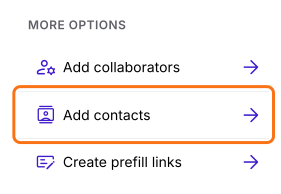
- Contacts page will be displayed with no contacts
- Click Add contact, then click Add new contact
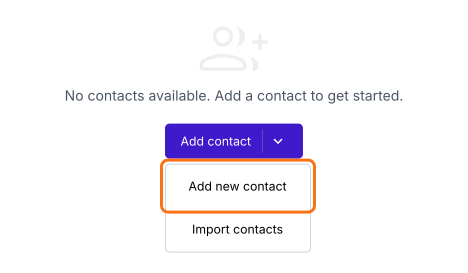
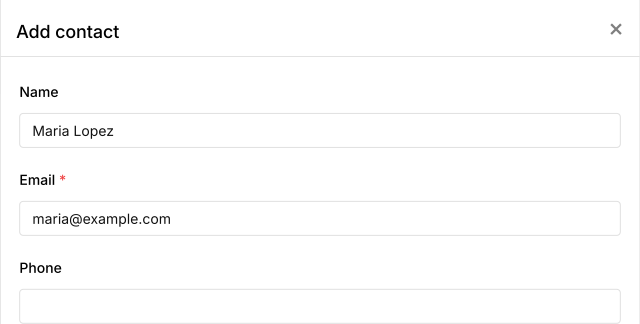
- Enter the name and email of the customer and click Save
- Do this for each customer
How to import your list from Google Sheets?
- In the Contacts page, click Add contact, then click Import contacts
- Click "this google sheet" in the popup. Your contacts sheet will open.
- Enter the email, name and phone for all the customers
- The first time, click Extensions > Add-ons > Get add-ons, search for "Formfacade - Prefill & email" and click Install
- Click Extensions > Formfacade - Prefill & email > Import contacts
- Click "Sync now" in the panel on the right
How to send bulk emails with prefilled links?
- In the Contacts page, click on the checkbox to select all customers or select a specific set of customers
- Click Compose
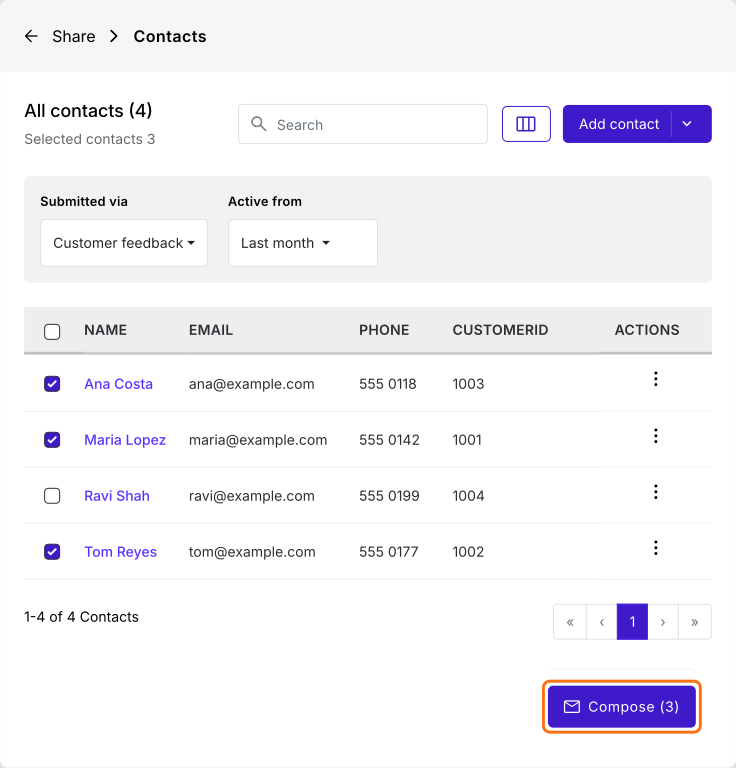
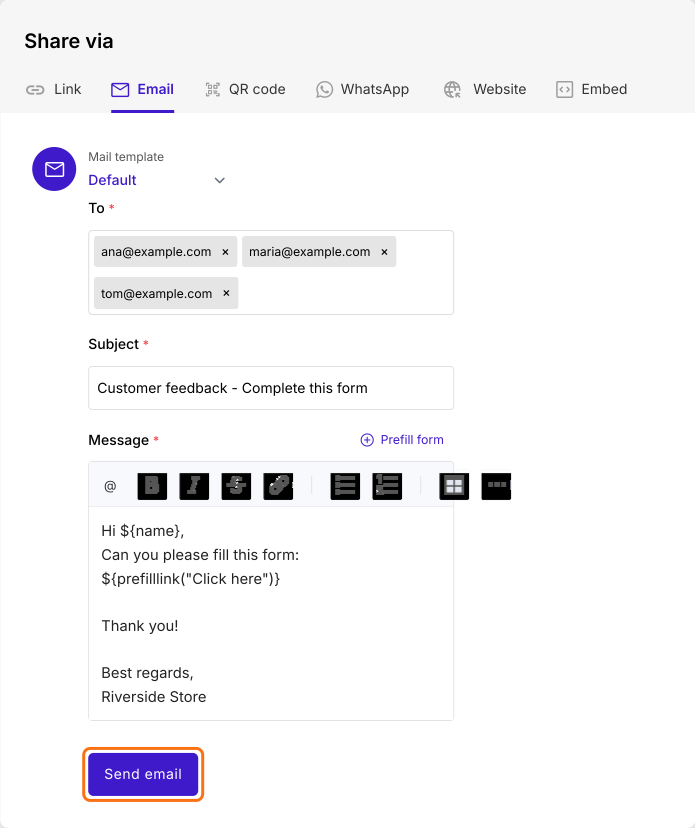
- Email page will be displayed with the selected customers
- Click Send email to send the emails to the selected customers
Summary
Last updated: