How to calculate shipping fees based on delivery zones?
This is a common question from restaurants, bakers and small shops who run their own delivery. For example, a far away customer costs you more than a nearby one, so the fee has to change with the area. A Google Form can ask for the delivery area, but it cannot charge a different fee for each answer, so you work it out by hand. With Neartail, you can use the FEE function to set a fee for each delivery zone. Your customers pick their area and see the fee added to their order amount before they submit. Even better, they enter their address on the same form, so you have what you need to plan the delivery.
Let's start. Create your order form and follow the steps below.
How to calculate the shipping fee?
- On the page that opens, click "Enter your form name". Type your form's name, click Generate and wait about a minute.
- Check the outline it suggests and click Proceed.
- Once you create the form, you will land on the form's "Edit" tab. If it asks "Do you want to preview this form?", click No.

- Your form comes with products, an Order Amount question that adds up by itself and an Order Quantity question. Click on each product and check its name and price, because a generated product can have no name and a price of 0.
Add a multiple choice question to show the different delivery zones and a Delivery Fee to display the delivery fee. Please follow the instructions below.
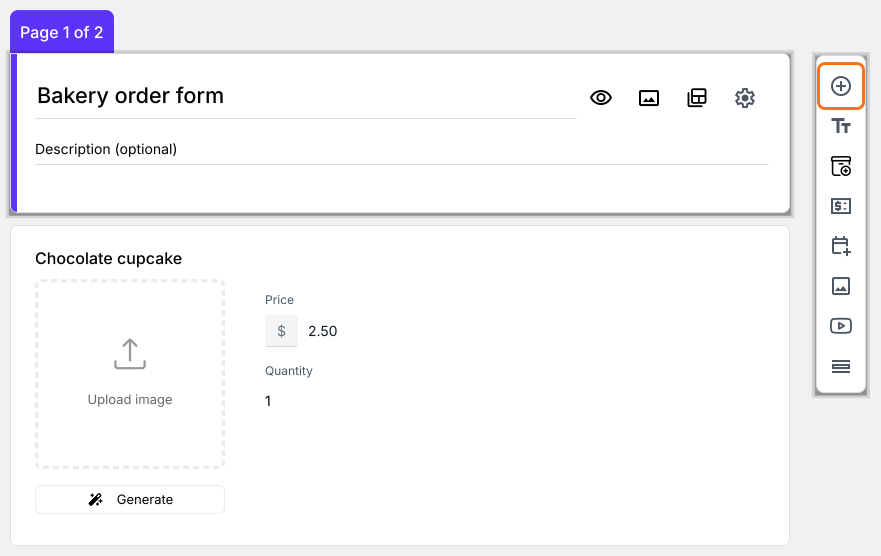
- Click on the Order Quantity question, then click Add field in the toolbar on the right
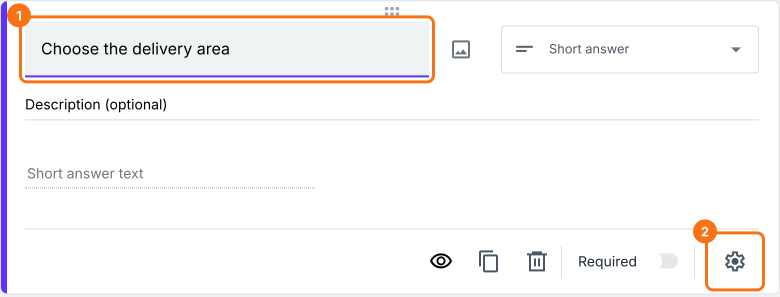
- New question will be displayed. Enter Choose the delivery area as its title
- Change the question type to Multiple choice in its list. Type the first delivery zone in the Option 1 box, then click Add Option for each of the others, because pressing Enter does not add one
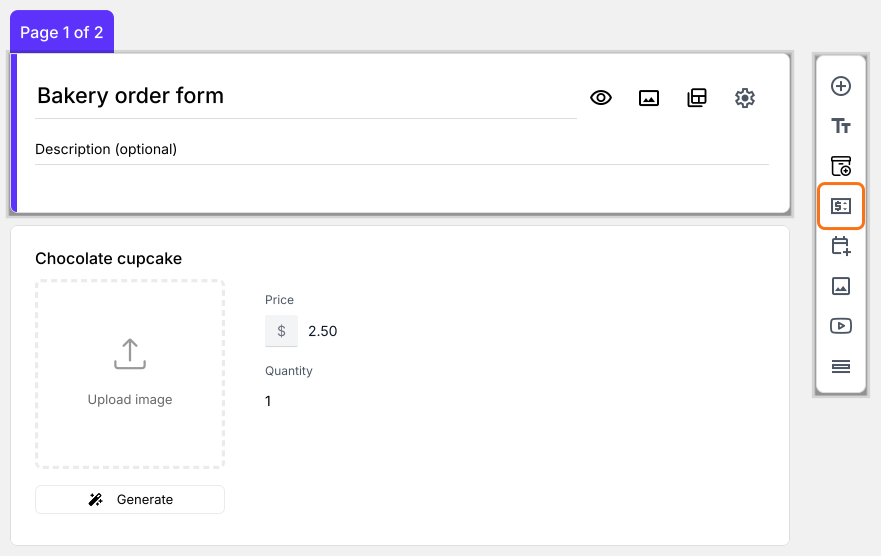
- Click on the Choose the delivery area question, then click Add price field in the toolbar on the right
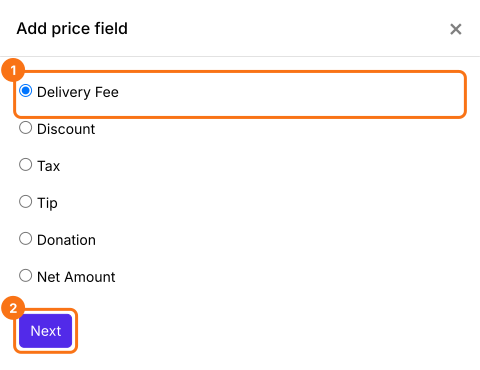
- Add price field screen will be displayed. Select Delivery Fee and click Next
- Check that Insert after says Choose the delivery area. If it does not, click the pencil and select it or the field will land where you last clicked, which can be in the middle of your products
- Select Fixed amount and click Next
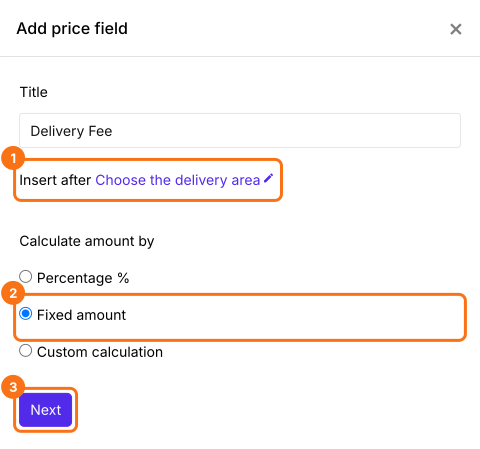
- Click Create. You will replace this amount with the formula in the next step
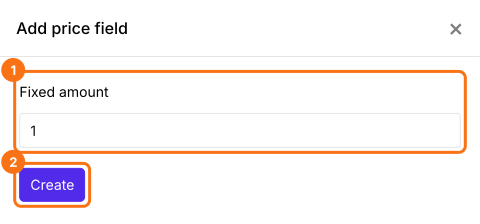
Use FEE function to calculate the shipping costs
FEE function assigns fees for each answer choice in a multiple choice, dropdown or checkbox question. The syntax for the fee function is:
FEE(currency, question, value1, [value2, …])
where
- currency - The currency symbol to be displayed
- question - The entry#id of the question. Type @ and select the required question from the list.
- value1, value2 … valuen - Fees for the first, second … nth answer choice
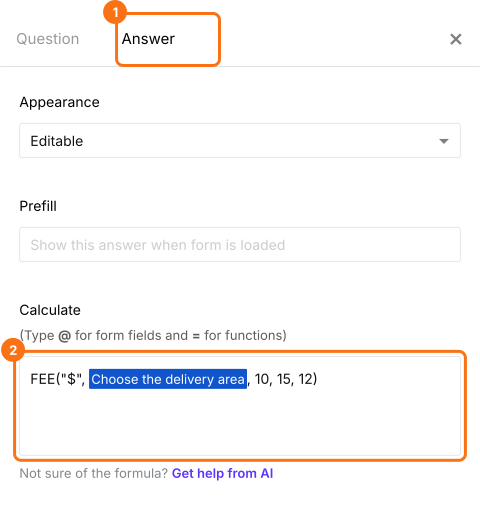
Let's say there are three delivery zones -- Zone 1, Zone 2, Zone 3 -- and the fees for the three delivery zones are $10, $15 and $12 respectively. The FEE formula for calculating the delivery fees based on the zone selected by the user is: FEE("$",Choose the delivery area, 10, 15, 12)
- Field settings screen will be displayed. Select the "Answer" tab. Write the formula in the Calculate option as shown below and click Save. Use your own currency symbol in place of $ or the form will mix the two
How to add the shipping costs and order amount?
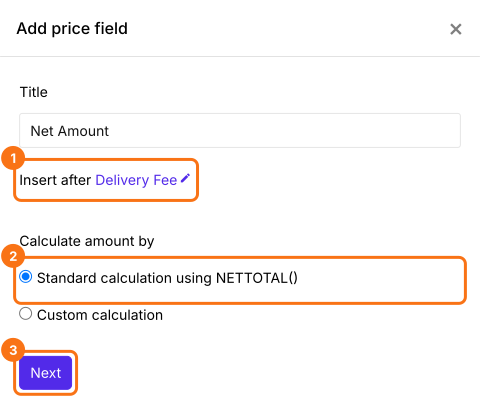
Add a Net Amount price field. It adds the Delivery Fee to the Order Amount by itself. Without it, the fee shows on the bill but your customers are not charged for it.
- Click on the Delivery Fee question, then click Add price field. Select Net Amount and click Next
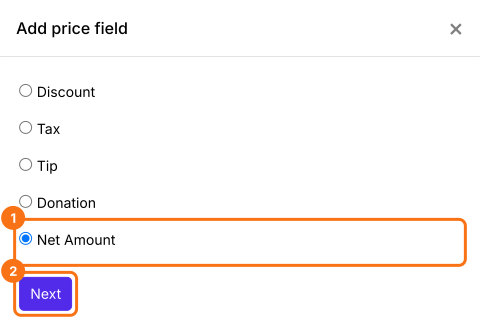
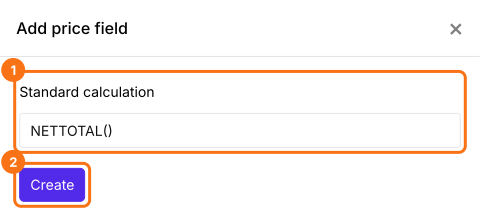
- Check that Insert after says Delivery Fee. Select Standard calculation using NETTOTAL() and click Next
- Click Create
- Field settings screen will be displayed. Click Save
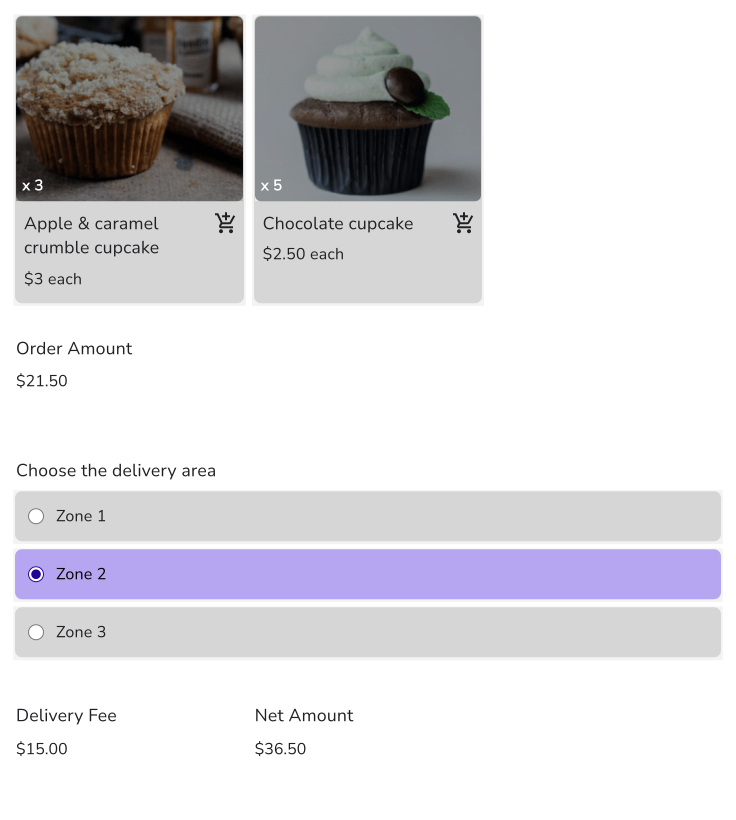
When your customers choose their area, the Delivery Fee and the Net Amount change on the form. Your customers pay the Net Amount.
Summary
If your delivery fee changes with the area, a Google Form cannot charge a different fee for each answer. With Neartail, you write the fee for each zone with the FEE function and the form adds it to the order amount. Create your order form and complete the steps above. If you have any questions, write to support.
Last updated: