How to add ingredients and nutrition to your menu?
"How to input menu description under each option in Google Form"- Google Docs Editors Community
This is a common question from people selling food on Google Forms. For example, if you sell bento lunch sets with one choice for each set, customers keep asking what's in each one and some need to check for allergies before they order. A choice in Google Forms has no description under it, so you cram it into the name or answer in chat. With Neartail, you can give each bento a description of what's in it and food templates add ingredients, allergens and nutrition. Your customers will read it before they order. Even better, each bento can have its own photo and price on a form with your own branding instead of Google's.
Let's start. Create your order form and follow the steps below.
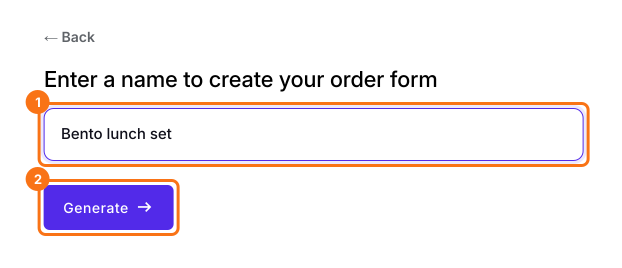
1. Name your order form
On the page that opens, click Enter your form name, type your form's name, click Generate and wait about a minute. Check the outline it suggests and click Proceed. Once you create the form, you will land on the form's Edit tab. If it asks "Do you want to preview this form?", click No. Click on each product and check its name and price, because a generated product can have no name and a price of 0.
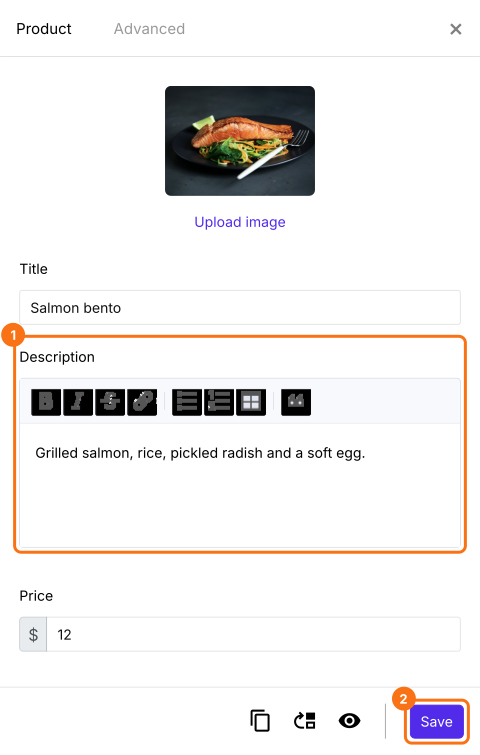
2. Write what's in the bento
In the EDIT tab, click the bento, then click the gear at the bottom of its card. Click Description, list what's in it and click Save.
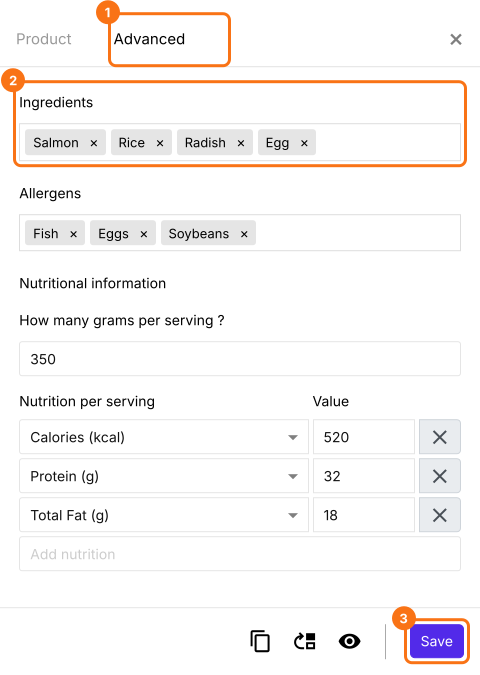
3. Add ingredients, allergens and nutrition
A form made from a food template, such as the Meal prep order form, has more boxes. To use one, open that page, click Try it free and click Proceed. If it asks "Do you want to preview this form?", click No. Click a product, click the gear at the bottom of its card and open Advanced. Click Ingredients, Allergens or Nutritional Information, fill them in and click Save.
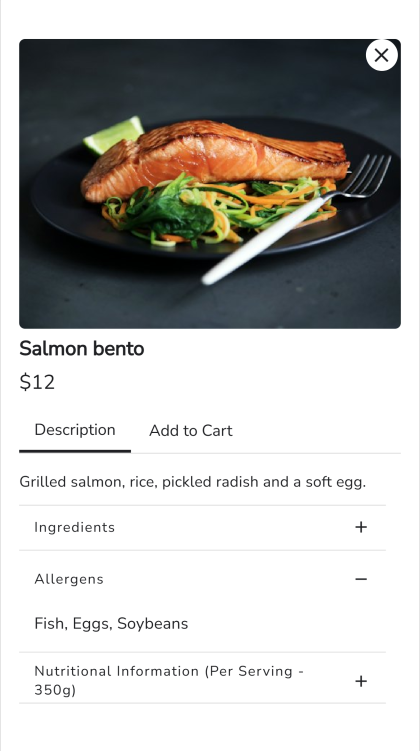
4. Customers read it before they order
On your form, customers tap the bento and read its Description. They open a row for the details, then order from Add to Cart.
Summary
If customers keep asking what's in each bento, a Google Forms choice has no place to say so and you end up answering in chat. With Neartail, each product has its own description and food templates add ingredients, allergens and nutrition, so customers can check before they order. Create your order form and complete the steps above.
Last updated: