How to change the placeholder text in Google Forms?
This is a common question from Google Forms users who want to tell people what to type in a field. The words Your answer do not help them. It is the same on every question and they still have to guess the format you need. You can add a description under each question, but that adds more text for them to read. Google Forms does not give you the option to change this default text. With Formfacade, you can update the placeholder text in the field settings and your users will see it right in the box. Even better, the responses still go to your Google Forms, so nothing changes for your team.
Let's start. Create your form and follow the steps below.
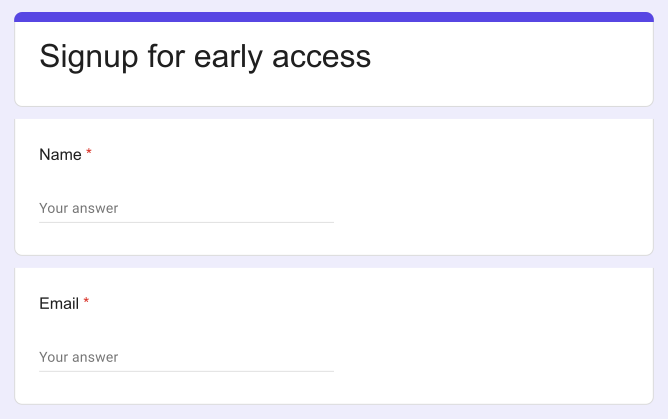
The default placeholder text for Short Answer & Paragraph type questions is "Your answer". Here's a screenshot of a Google Form with default placeholder "Your answer".
How to update the placeholder text?
- On the page that opens, name your form, click Build form and click Proceed. It can take about a minute.
- You will land on the form's "Preview" tab.
- Click on "Edit" tab

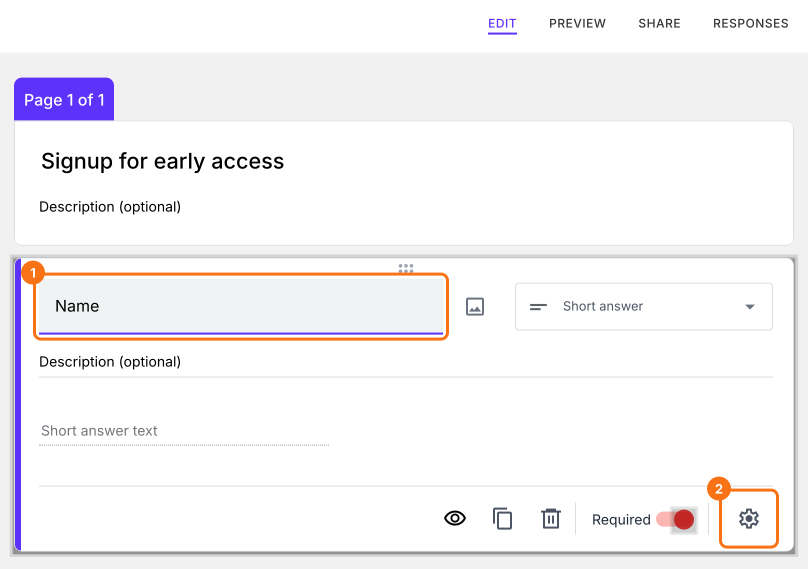
- Click on the field, then click on the ⚙️ icon to open field settings screen. If your form does not have the field, click on the + icon in the toolbar on the right to add it.
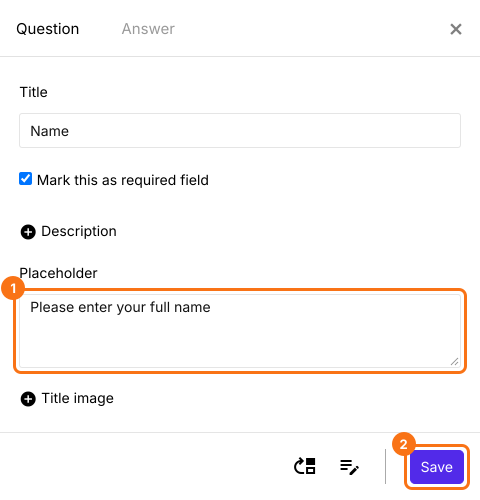
- Click on "+ Placeholder", then click in the box
- Enter the placeholder text and click on the "Save" button
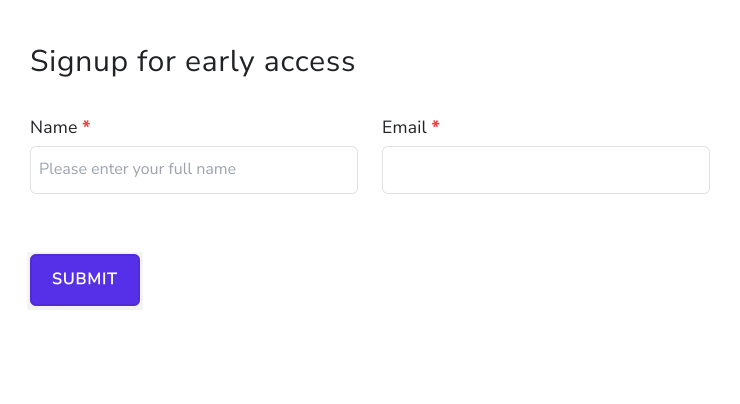
The placeholder text will be displayed as shown below
Summary
If the default placeholder "Your answer" does not tell your users what to enter, Google Forms does not let you change it. With Formfacade, you open the field settings and enter the placeholder text and it will be displayed in the field. Create your form and complete the steps above.
Last updated: