How to add products with limited stock?
This is a common question from small sellers with a limited run of something. For example, if you only have a few T-shirts to sell, you cannot take more orders than you have stock for. A Google Form cannot count down what is left, so you keep watching the responses and sometimes you sell what you no longer have and have to apologize. With Neartail, you can enable inventory and set the stock of a product. Inventory decreases by itself when a customer places an order. Even better, it works for products sold by quantity, weight or variants.
Let's start. Create your order form and follow the steps below.
How to set the stock of a product?
- On the page that opens, upload your menu, a PDF or an image and click Convert. If you do not have one, click Back, click "Enter your form name", type your form's name, click Generate, wait about a minute and click Proceed.
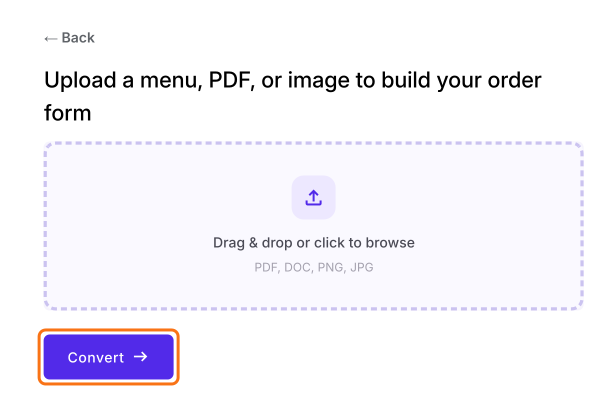
- Once you create the form, you will land on the form's "Edit" tab. If it asks "Do you want to preview this form?", click No.

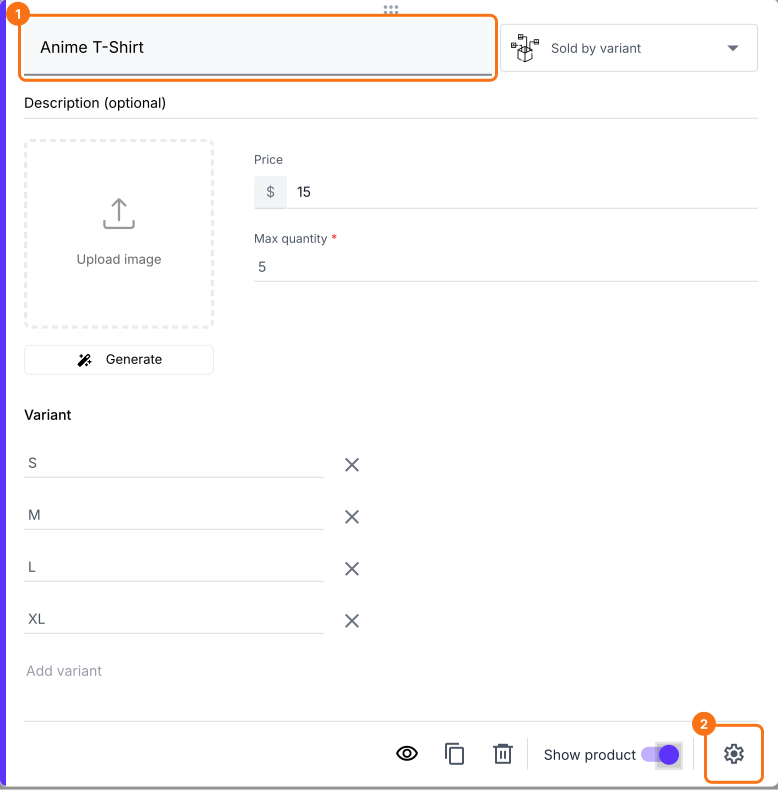
In the Neartail edit interface, click on the product, then click the gear icon.
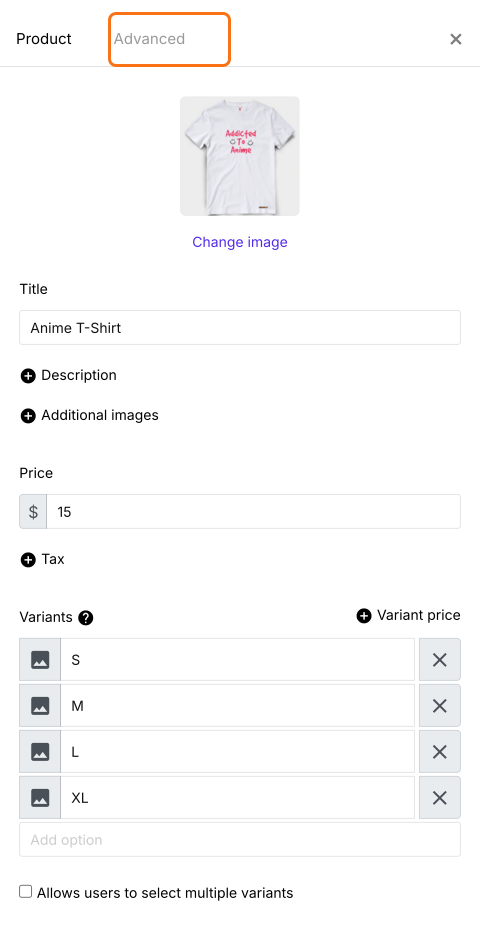
Product page will be displayed. Click Advanced.
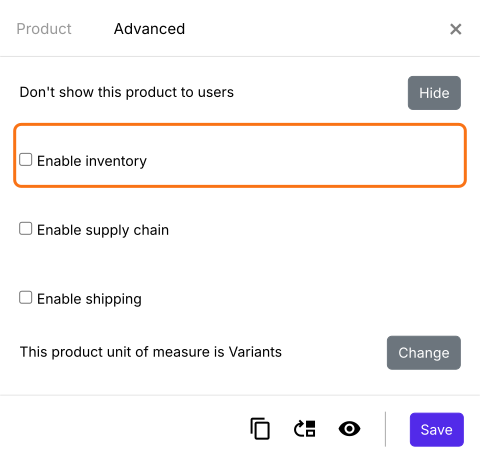
Check Enable inventory.
Update the available stock and click Save. A product with variants asks for the stock of each variant as shown below. Any other product has one box, Quantity you have in stock.
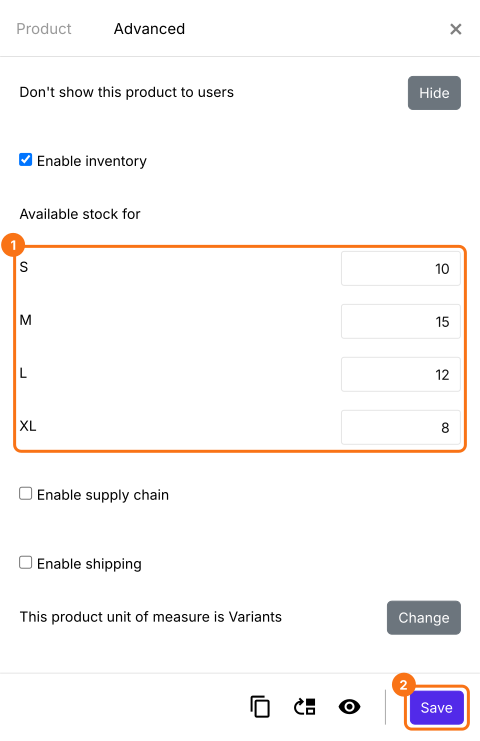
Your customers can only order what you have in stock. When the stock of a product reaches zero, it moves to an Out of stock list at the end of your products.
Summary
If your stock is limited, a Google Form cannot count down what is left. With Neartail, you enable inventory and set the stock and the inventory decreases every time a customer places an order. Create your order form and complete the steps above.
Last updated: