How to edit google forms responses after submit?
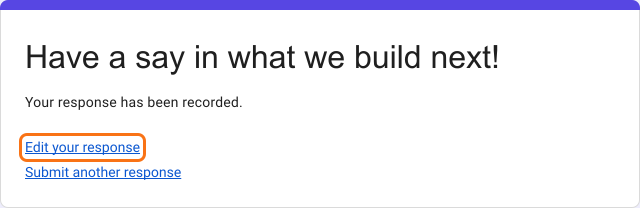
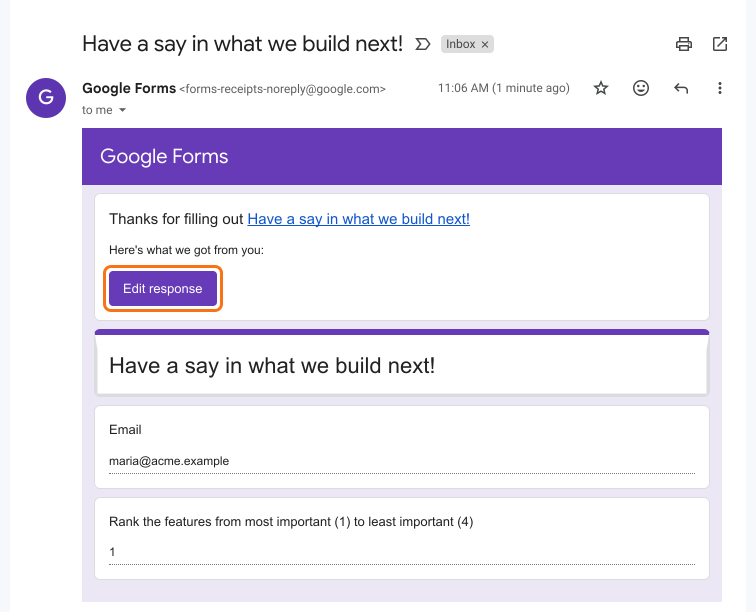
This is a common question from Google Forms users whose respondents find a mistake after they submit. They will ask you to fix it or they will fill the form again and leave you with two responses. Google Forms does not let them change a response unless you turn this on before they submit. Form owners or collaborators can enable the Allow response editing option in Google Forms to allow form respondents to edit the response they have submitted. When this option is enabled, an edit link will be included in the confirmation message shown after submit and the response receipt sent to their email. But your collaborators still cannot make updates. With Formfacade, your collaborators can correct a response from the notification email.
Let's start. Open your form in Google Forms and turn on the option using the steps below. If your collaborators need to make updates too, create your form with Formfacade.
How to enable the option to edit after submit?
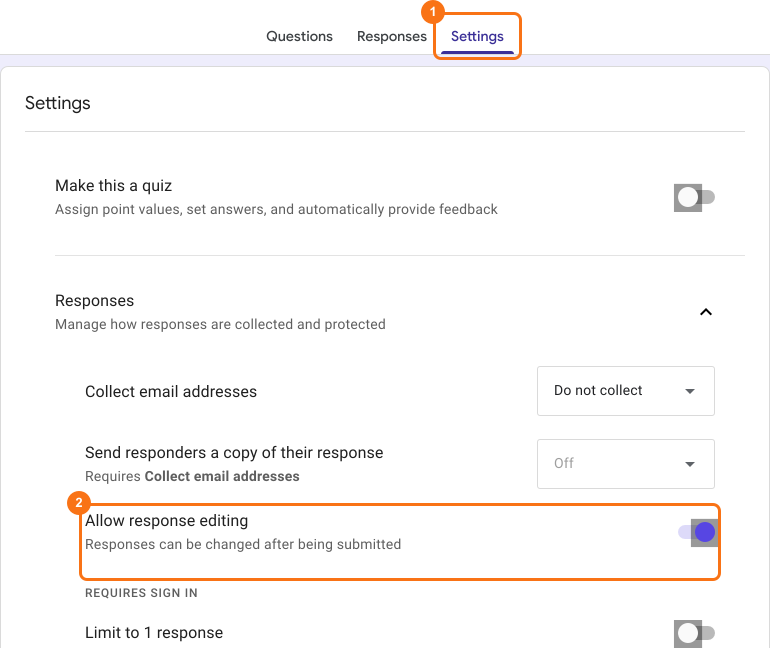
- Open your form in Google Forms
- Click Settings
- Open Responses with its arrow
- Turn on Allow response editing option
⚠️ Limitations
- Form respondents can make changes to their response anytime. You do not have granular control over the edit option. This is not ideal for use cases such as application forms or order forms where users should not make updates beyond a certain stage.
- Collaborators cannot make updates to the submitted response.
Summary
Last updated: